
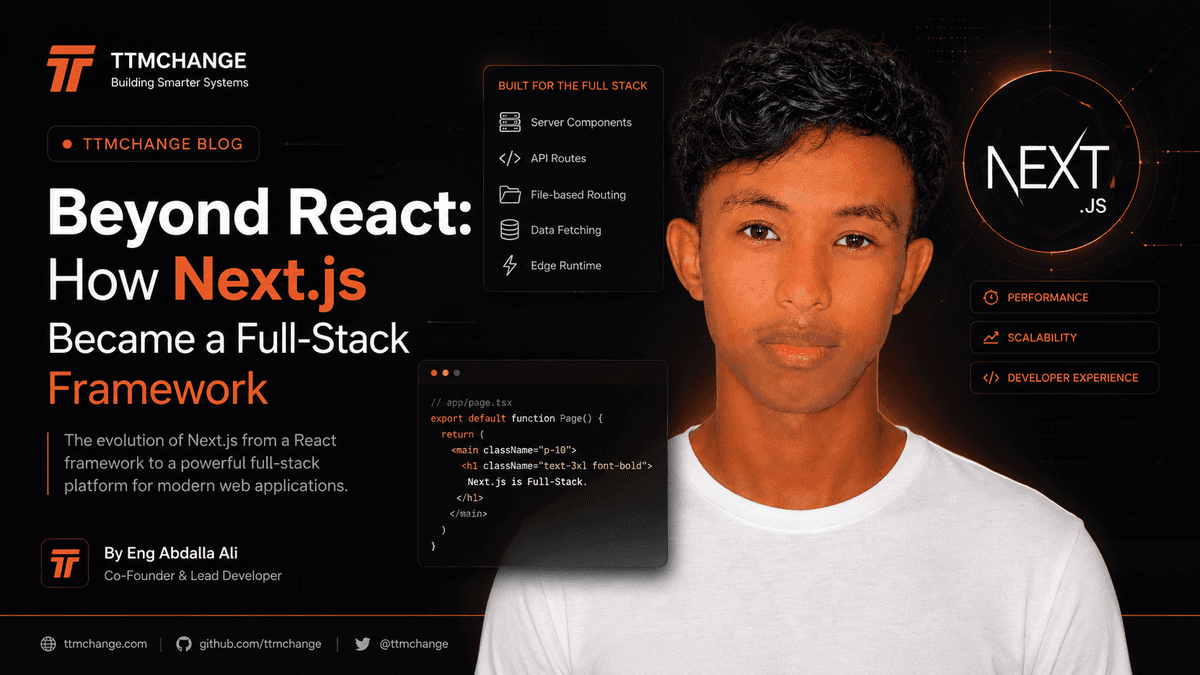
Next.js Is Not Just React: Understanding the Architecture Behind Modern Full-Stack Applications
For a long time, many developers thought of Next.js as React with routing and server-side rendering.
That description is no longer enough.
Modern Next.js applications can contain server-rendered UI, interactive client components, backend endpoints, database operations, authentication logic, caching, background workflows, and deployment-specific infrastructure — all inside the same application.
That changes how we should think about the framework.
Instead of asking:
"How do I build this React page?"
A better question is:
"Where should this piece of logic execute, and what should the browser actually receive?"
That architectural decision is at the center of modern Next.js development.
The Mental Model That Changes Everything
A traditional React application often follows a simple model:
Browser
  ↓
React Application
  ↓
API
  ↓
Database
The browser owns most of the application logic.
Next.js allows a different architecture:
Browser
  ↓
Next.js Application
  ├── Server Components
  ├── Client Components
  ├── Server Actions
  ├── Route Handlers
  ├── Middleware / Proxy Layer
  └── Data Access
        ↓
     Database
The important difference is that not every part of the application needs to run in the browser.
This gives engineers more control over:
- Where data is fetched
- Where secrets exist
- Where computation happens
- What JavaScript reaches the browser
- How pages are cached
- How authentication is enforced
- How application boundaries are designed
Next.js becomes much more interesting once you stop treating it as only a frontend framework.
React Is the UI Layer, Next.js Is the Application Architecture
React gives you components.
Next.js gives you an environment in which those components can participate in a complete web application.
That distinction matters.
A React component might look like this:
export function UserCard({ name }: { name: string }) {
  return <div>Hello, {name}</div>;
}
React answers:
"How should this UI be represented?"
Next.js adds questions such as:
"Should this component render on the server?"
"Should this interaction run in the browser?"
"Where should the data come from?"
"Can this result be cached?"
"How should this route be accessed?"
"Where should authentication be checked?"
These are architecture questions rather than component questions.
Server Components Change the Default
One of the most important concepts in modern Next.js is the distinction between Server Components and Client Components.
A Server Component executes on the server and can participate in server-side data access and rendering.
A Client Component is sent to the browser and can use browser-side interactivity such as state, effects, and event handlers.
A simplified architecture looks like this:
Next.js Server
      │
      ├── Server Component
      │      ├── Fetch data
      │      ├── Query database
      │      └── Render UI
      │
      └── Client Component
             ↓
          Browser
             ↓
       User interaction
The important idea is not simply that Server Components are "faster."
The deeper idea is execution boundaries.
Your application can decide which logic belongs on the server and which logic genuinely requires the browser.
A Simple Example
Suppose you have a dashboard displaying a user's projects.
The project list might be rendered by a Server Component:
import { getProjects } from "@/lib/projects";

export default async function ProjectsPage() {
  const projects = await getProjects();

  return (
    <main>
      <h1>Projects</h1>

      {projects.map((project) => (
        <div key={project.id}>
          {project.name}
        </div>
      ))}
    </main>
  );
}
There is no reason to move the database query into the browser.
The browser does not need direct access to your database.
Instead:
Browser Request
      ↓
Next.js Server
      ↓
Database
      ↓
Server Component
      ↓
Rendered UI
      ↓
Browser
This creates a cleaner security boundary.
The browser receives the result, not the database connection.
Client Components Are Still Important
Server Components do not eliminate Client Components.
They solve different problems.
Use a Client Component when the browser needs to respond to user interaction.
For example:
"use client";

import { useState } from "react";

export function Counter() {
  const [count, setCount] = useState(0);

  return (
    <button onClick={() => setCount(count + 1)}>
      Count: {count}
    </button>
  );
}
The browser needs:
- State
- Event handlers
- Interaction
- Browser APIs
- Client-side effects
Therefore, this component belongs on the client.
A useful rule is:
Keep server logic on the server and send client-side JavaScript only where interactivity requires it.
This does not mean every Client Component is bad.
It means client execution should be intentional.
The Real Cost of "use client"
Developers sometimes add:
"use client";
because they need one small interaction.
The problem appears when that decision is pushed too high in the component tree.
Imagine:
Dashboard
 ├── Header
 ├── Statistics
 ├── ProjectList
 ├── ActivityFeed
 └── DeleteButton
Only DeleteButton needs browser interaction.
A poor architecture might turn the entire dashboard into a Client Component.
A better architecture keeps the dashboard on the server and isolates the interactive component:
Dashboard (Server)
 ├── Header (Server)
 ├── Statistics (Server)
 ├── ProjectList (Server)
 ├── ActivityFeed (Server)
 └── DeleteButton (Client)
This is a much more useful mental model.
Client Components should be islands of interactivity, not the default for the entire application.
Data Fetching Is an Architectural Decision
One of the biggest mistakes in Next.js applications is treating every data request as a browser-side API request.
For example:
Client Component
      ↓
fetch("/api/projects")
      ↓
Next.js API
      ↓
Database
Sometimes this is exactly what you need.
But sometimes it creates unnecessary architecture.
If a page can directly access the required server-side data, you may instead have:
Server Component
      ↓
Data Access Layer
      ↓
Database
There is no reason to create an HTTP round trip between your own server components and your own backend unless that boundary provides value.
This leads to an important engineering principle:
Do not create an API boundary simply because APIs are familiar. Create boundaries where they provide architectural value.
Route Handlers Are Still Useful
Next.js can expose HTTP endpoints through Route Handlers.
For example:
import { NextResponse } from "next/server";

export async function GET() {
  const projects = await getProjects();

  return NextResponse.json(projects);
}
These are useful when another system needs to communicate with your application through HTTP.
Examples include:
- Mobile applications
- External integrations
- Webhooks
- Third-party clients
- Public APIs
- Machine-to-machine communication
The important distinction is that Route Handlers are an HTTP interface.
They should not automatically become the internal communication layer for every component.
Server Actions Change How Mutations Can Work
Reading data is only half of an application.
Eventually, users need to create, update, or delete data.
A traditional architecture might look like:
Form
  ↓
Client JavaScript
  ↓
fetch()
  ↓
API Endpoint
  ↓
Database
Server Actions can provide another model:
Form
  ↓
Server Action
  ↓
Validation
  ↓
Database
A simplified example:
"use server";

export async function createProject(formData: FormData) {
  const name = String(formData.get("name") ?? "").trim();

  if (!name) {
    throw new Error("Project name is required");
  }

  await db.project.create({
    data: {
      name,
    },
  });
}
The important point is not that Server Actions eliminate APIs.
They provide a convenient server-side mutation boundary for application code.
For public APIs or external consumers, an HTTP endpoint may still be the better abstraction.
Authentication Is Not Authorization
This distinction becomes especially important when building full-stack Next.js applications.
Authentication answers:
Who is this user?
Authorization answers:
What is this user allowed to do?
Suppose a user is authenticated.
That does not automatically mean they can access every dashboard or modify every record.
A secure request flow should look more like:
Request
  ↓
Authentication
  ↓
Identify User
  ↓
Authorization
  ↓
Validate Input
  ↓
Perform Operation
  ↓
Return Result
For example:
const user = await getCurrentUser();

if (!user) {
  throw new Error("Unauthorized");
}

if (user.role !== "ADMIN") {
  throw new Error("Forbidden");
}
But production authorization should usually go beyond checking a role.
You may also need resource-level checks:
const project = await getProject(projectId);

if (project.ownerId !== user.id) {
  throw new Error("Forbidden");
}
A user being authenticated does not prove that they own the resource they are requesting.
Authentication establishes identity. Authorization establishes permission.
Never Trust the Client
A client-side permission check can improve user experience.
It cannot be your security boundary.
This is not security:
{user.role === "ADMIN" && (
  <DeleteButton />
)}
It only controls what the user sees.
A malicious client can still attempt the underlying request.
The real authorization check must happen on the server:
const user = await getCurrentUser();

if (!user || user.role !== "ADMIN") {
  throw new Error("Forbidden");
}

await deleteProject(projectId);
The principle applies to every sensitive operation:
- Payments
- User management
- Database mutations
- File access
- Admin actions
- Private data
- Organization resources
Hide UI for usability. Enforce permissions on the server for security.
The Database Should Have a Boundary
A common architecture mistake is allowing database logic to spread throughout UI components.
For example:
export default async function Page() {
  const users = await db.user.findMany();

  // UI...
}
This may work.
But as an application grows, it can become useful to introduce a data-access layer:
UI
 ↓
Application Logic
 ↓
Data Access Layer
 ↓
Database
For example:
export async function getUsers() {
  return db.user.findMany({
    orderBy: {
      createdAt: "desc",
    },
  });
}
Then your component focuses on presentation:
const users = await getUsers();
This separation becomes valuable when you need:
- Authorization
- Reusable queries
- Validation
- Transactions
- Logging
- Testing
- Consistent business rules
The goal is not to create abstractions for their own sake.
The goal is to create boundaries where complexity actually exists.
Caching Is Part of Application Design
Caching in Next.js should not be treated as a mysterious performance feature.
It is fundamentally a question of how fresh your data needs to be.
Consider three different pages.
Public Documentation
A documentation page may rarely change.
Caching can be aggressive.
Request
  ↓
Cached Result
  ↓
Response
Product Dashboard
A dashboard may need relatively fresh information.
You might choose a different caching strategy.
Banking or Payment Information
Some information should not be treated as casually cacheable.
The engineering question becomes:
"How stale can this data safely be?"
That is much more useful than asking:
"Should I use caching?"
Caching decisions should follow data semantics.
Rendering Is Not One Thing
Modern web applications can combine different rendering strategies.
A simplified model is:
Rendering
├── Static
├── Dynamic
├── Streaming
└── Client-side interaction
The correct strategy depends on the application.
A marketing page might benefit from highly cacheable output.
A personalized dashboard may need dynamic rendering.
A complex page may stream parts of its UI as data becomes available.
The important lesson is:
Rendering strategy should follow application requirements, not framework fashion.
Streaming Can Improve Perceived Performance
Imagine a page that requires several independent pieces of data:
Dashboard
 ├── User Profile
 ├── Statistics
 ├── Recent Orders
 └── Activity
If the entire page waits for the slowest request:
Profile ──────────┐
Stats ────────────┤
Orders ───────────┤──→ Complete Page
Activity ─────────┘
the user may stare at a loading screen.
With streaming and appropriate boundaries:
Profile ─────→ Render
Stats ───────→ Render
Orders ─────────────→ Render
Activity ───────────────→ Render
The user can begin seeing useful content before every operation has finished.
This is not merely a performance trick.
It is a different way of thinking about the relationship between data availability and UI availability.
Loading and Error Boundaries Are Architecture
A production application should assume that things can fail.
Databases fail.
APIs time out.
Users lose network connectivity.
Third-party services become unavailable.
A robust Next.js application should represent these states explicitly.
Page
 ├── Loading State
 ├── Success State
 └── Error State
This can be reflected through framework-supported loading and error boundaries.
The goal is not to pretend that failures do not happen.
The goal is to make failure a designed state rather than an unexpected accident.
The URL Is Part of Your Application State
Modern applications often hide too much state inside React.
For example:
const [filter, setFilter] = useState("active");
Sometimes that is correct.
But if the filter should be:
- Shareable
- Bookmarkable
- Searchable
- Restorable after refresh
then the URL may be a better place for it.
For example:
/projects?status=active
Now the URL becomes part of the application's state model.
This is especially useful for:
- Search
- Filters
- Pagination
- Sorting
- Tabs
- Public views
A useful question is:
Should another person be able to reproduce this state from the URL?
If yes, URL state may be appropriate.
A Real-World Next.js Architecture
Consider a SaaS dashboard.
A mature architecture might look like this:
                         Browser
                            │
                            ▼
                     Next.js Application
                            │
          ┌─────────────────┼─────────────────┐
          │                 │                 │
          ▼                 ▼                 ▼
   Server Components   Client Components   Route Handlers
          │                 │                 │
          │                 ▼                 │
          │            User Interaction       │
          │                                   │
          └───────────────┬───────────────────┘
                          ▼
                  Application Services
                          │
                ┌─────────┴─────────┐
                ▼                   ▼
          Authorization          Validation
                │                   │
                └─────────┬─────────┘
                          ▼
                    Data Access
                          │
                          ▼
                       Database
This architecture separates responsibilities without requiring dozens of independent services.
That is one of the strengths of a full-stack framework.
You Do Not Need Microservices by Default
As applications become more complex, developers sometimes assume the next step is microservices.
It often is not.
A well-structured Next.js application can handle significant complexity while remaining a modular monolith.
For many products, this is a better starting point:
One Application
├── Authentication
├── Users
├── Billing
├── Projects
├── Notifications
├── Admin
└── Reporting
Each domain can have clear internal boundaries.
You can extract a service later when there is a real reason.
Good reasons might include:
- Independent scaling requirements
- Different deployment lifecycles
- Strong organizational boundaries
- Specialized infrastructure
- Isolation requirements
- Clear ownership between teams
Distributed architecture should solve a problem, not create one.
Common Next.js Architecture Mistakes
The framework gives developers a lot of flexibility.
That flexibility can also create bad architecture.
Making Everything a Client Component
This increases browser-side JavaScript and can unnecessarily move server responsibilities into the client.
Calling Your Own API From Every Server Component
This can introduce unnecessary HTTP requests and duplicate boundaries.
Trusting Client-Side Authorization
Hiding a button is not permission enforcement.
Putting Business Logic Inside UI Components
Components should not become giant containers for database queries, authorization, validation, and business rules.
Overengineering the Project
Not every application needs:
- Microservices
- Event buses
- Multiple databases
- Complex infrastructure
- Dozens of abstractions
Start with the simplest architecture that satisfies the requirements.
Treating Caching as an Afterthought
Caching changes application behavior.
It should be designed intentionally.
A Better Way to Build Next.js Applications
Before writing code, ask five questions.
- Where should this logic execute?
- Who is allowed to perform this operation?
- Does this data need to be fresh?
- Does this interaction actually require the browser?
- What happens when the operation fails?
These questions often reveal architectural problems before they become code problems.
A useful development flow looks like this:
Requirement
    ↓
Data Model
    ↓
Security Boundary
    ↓
Execution Boundary
    ↓
Rendering Strategy
    ↓
Caching Strategy
    ↓
UI Implementation
Notice what is missing from the beginning:
"Create a component."
The component is the final expression of the architecture, not the architecture itself.
Next.js as a Full-Stack Engineering Tool
The biggest shift is conceptual.
Next.js allows frontend and backend responsibilities to exist within one application while still maintaining clear execution boundaries.
You can have:
UI
│
├── Server-rendered content
├── Interactive client components
│
├── Server-side mutations
├── HTTP APIs
│
├── Authentication
├── Authorization
├── Validation
│
└── Data access
        ↓
     Database
This does not mean everything belongs in Next.js.
There are still cases where a separate backend, service, queue, or specialized system makes sense.
But for many products, a well-designed Next.js application can provide a powerful foundation without unnecessary infrastructure.
The Bigger Picture
The real power of Next.js is not any individual feature.
It is the ability to make execution boundaries explicit.
A modern application is no longer simply:
Frontend → Backend → Database
It is closer to:
                    Application
                        │
        ┌───────────────┼────────────────┐
        ▼               ▼                ▼
      Server          Client           API
        │               │                │
        ▼               ▼                ▼
      Data          Interaction      Integrations
        │
        ▼
    Database
The engineer's job is to decide what belongs in each boundary.
That is why learning Next.js deeply is different from simply learning its APIs.
You are learning how to design web applications where rendering, data, security, performance, and user interaction are connected parts of the same system.
What Engineers Should Remember
When building your next Next.js application:
- Keep server-only logic on the server.
- Use Client Components when browser interaction is genuinely required.
- Treat authentication and authorization as separate concerns.
- Never rely on client-side permission checks for security.
- Create API boundaries when they provide real value.
- Keep business logic separate from presentation when complexity grows.
- Design caching around data freshness requirements.
- Use loading and error states as part of the architecture.
- Keep the URL in mind when application state should be shareable.
- Prefer a modular monolith before introducing distributed complexity.
Most importantly, do not optimize for using every feature the framework provides.
Optimize for clear boundaries and understandable systems.
The best Next.js architecture is not the one with the most features. It is the one where every responsibility has a clear place to live.
Conclusion
Next.js started as a framework around React, but modern Next.js applications require a broader mental model.
You are no longer just building components.
You are designing an application that decides:
- What runs on the server
- What runs in the browser
- Where data is accessed
- Where permissions are enforced
- How mutations are performed
- What gets cached
- How failures are handled
- Which boundaries deserve to exist
That is the difference between using Next.js and engineering with Next.js.
The framework gives you the primitives.
The architecture is still your responsibility.
Build components carefully, but design the system first.